

Table of Contents
Quick Summary
Managing an IV therapy clinic with generic software can lead to dosing errors, inventory issues, scheduling problems, and compliance risks. This makes it harder to deliver safe and efficient patient care. But an all-in-one, IV-specific EMR solves this by combining clinical charting, inventory tracking, scheduling, billing, and patient communication in one system. This helps clinics reduce mistakes, save time, improve patient retention, and grow more efficiently.
Choosing the Right EMR for Growing IV Therapy Clinics
IV therapy is no longer limited to hospitals. It’s now widely offered in wellness centers, med spas, and mobile health services. The global IV hydration market reached $2.71 billion in 2024 and is expected to grow to $5.84 billion by 2034, with a CAGR of nearly 8%. This growth is driven by demand for preventive care and faster nutrient delivery.
However, as clinics handle higher patient volumes, managing IV therapy becomes more complex. It requires precise dosing, real-time monitoring, and accurate documentation. Around 530,000 injuries happen yearly in outpatient settings due to medication errors, showing how critical proper systems are.
Many clinics still rely on generic or disconnected tools, leading to risks like missed safety checks, inventory issues, and billing errors. But studies show that the right EMR can reduce these errors and improve workflows. Thus, in this article, we review the 10 best EMRs for IV therapy designed to help IV clinics improve safety, efficiency, and scalability.
Why Trust Us?

PatientNow has 20+ years of experience serving aesthetic and wellness practices, with strong clinical tools and lab integrations across 120+ vendors. We understand there’s no shortage of “best EMR” lists, but many are written without real clinical experience.
But this guide is different because it’s based on the day-to-day realities of running an IV therapy clinic. It’s created by professionals with experience in clinical care, healthcare operations, and medical technology, aiming to give you a clear and honest view. So, you can choose the right EMR for your clinic.
What Is IV Therapy Software?
An IV therapy EMR is a digital system that helps clinics store patient records, track treatments, and manage documentation in one place, replacing paper charts. It supports providers during visits by making it easier to record care and make decisions.
Unlike general EMRs, IV therapy systems are built for infusion workflows. They include tools for infusion charting, drip timing, safety checks, scheduling, and inventory tracking, which are crucial for accurate and safe treatments. In med spas and wellness clinics, these systems help improve efficiency, patient care, and compliance.
Benefits of Using an EMR for IV Therapy
Here are the benefits you’ll get by using an EMR system for IV therapy:
- Accurate Dosing & Protocols: Customizable infusion templates guide staff through each step, reducing errors in drip rates, medication amounts, and treatment documentation.
- Safety Alerts: Built-in allergy and contraindication checks warn clinicians of potential reactions before treatment begins.
- Inventory Tracking: Monitors IV supplies, lot numbers, and expiration dates linked to patient encounters, preventing mistakes and streamlining restocking.
- Efficient Scheduling: Appointment tools consider chair/bay availability and infusion duration to avoid overbooking and reduce wait times.
- Simplified Billing: Integrated POS and insurance coding allow easy billing for medications, supplies, and services.
- Patient Engagement: Digital forms, portals, automated follow-ups, and marketing features improve retention and encourage repeat visits.
- Compliance & Security: Keeps records HIPAA-secure and audit-ready, ensuring regulatory compliance.
- Scalable Operations: Supports multi-location growth with centralized management of schedules, inventory, and patient data.
Best EMR Software for IV Therapy: Quick Comparison
Here’s a short comparison of all 10 best EMR software for IV therapy, explained in detail in the later section:
| EMR Tool | Key Features |
| PatientNow | Native IV & aesthetic charting, scheduling, billing, AI-powered marketing, patient engagement, labs & e-prescribing, photo tools. |
| Pabau | Centralized patient records, online booking, AI-assisted notes, inventory tracking, payments & memberships, client portal. |
| OptiMantra | Customizable IV templates, scheduling, billing, inventory, SOAP notes, lab integrations, patient portal. |
| DocVilla | Cloud EMR, scheduling, inventory, telemedicine, e-prescribing, billing, customizable documentation. |
| Remedly | AI billing, custom forms, POS, inventory tracking, patient portal, marketing tools. |
| RXNT | AI note-taking, patient messaging, e-prescribing, billing, custom charting & scheduling. |
| PracticeQ | Scheduling, billing, intake forms, workflow automation, multi-location support. |
| AdvancedMD | Scheduling, practice management, billing, patient portal, telehealth. |
| Mangomint | Custom forms, client profiles, telehealth, scheduling, HIPAA add-on. |
| MicroMD | Flexible documentation, practice management, cloud/on-premise, e-prescribing, billing. |
10 Best EMR Software for IV Therapy
The following are the 10 best EMR software for IV therapy, including their features, benefits, limitations, and integrations. Our aim isn’t to list the most features, but to help you choose a system that truly fits how your clinic operates and supports your patients:
- PatientNow
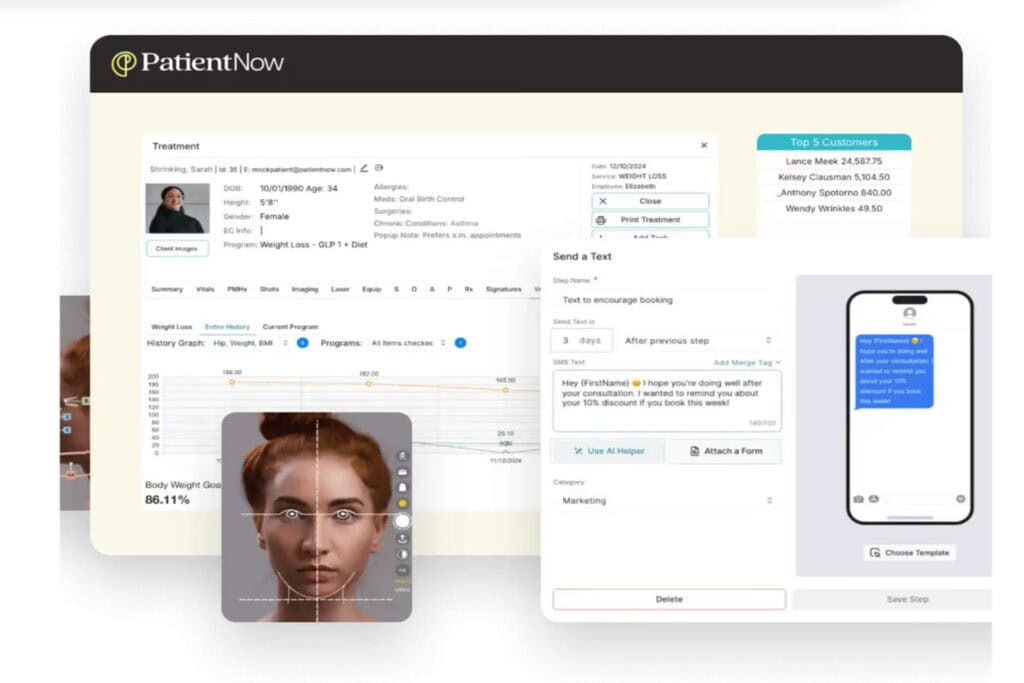
PatientNow is a complete HIPAA-compliant EMR and practice management system designed specifically for aesthetic, wellness, and IV therapy clinics, not a generic tool adapted for medical use. It combines clinical charting, AI automation, scheduling, marketing, payments, and patient engagement in one platform. This simplifies workflows and helps clinics manage both patient care and business growth without juggling multiple systems.
Features:
- EMR & Clinical Tools: Centralized charting and documentation built for aesthetic and IV therapy workflows.
- Practice Management: Manages appointments, scheduling, and inventory all in one system.
- Patient Engagement: Online forms, portals, reminders, and AI-powered SMS/email campaigns.
- Payments & Billing: Integrated POS, invoicing, deposits, and support for memberships and loyalty programs.
- Photography: Before-and-after photo tools with galleries, annotations, and social sharing.
- Lab & e-Prescribing: Connects to labs and manages prescription workflows (package-dependent).
Integrations:
- Connects with 120+ lab vendors, DoseSpot for eRx, RxPhoto for images, and CareCredit/Cherry for financing. Also, it includes payments, QuickBooks, Canva, CRM tools, loyalty programs, AI (Recura), and an open API for custom integrations.
Pros:
- Comprehensive features tailored for aesthetic and wellness clinics.
- Manages lead follow-ups, reminders, and patient engagement automatically.
- Combines EMR, scheduling, marketing, photos, and payments, with no need for multiple tools.
- AI and marketing tools save time and improve patient retention.
- Built-in photo and documentation tools streamline workflows.
- Scales easily from single clinics to multi-location practices.
Cons:
- Staff training and implementation may take longer.
- Pabau
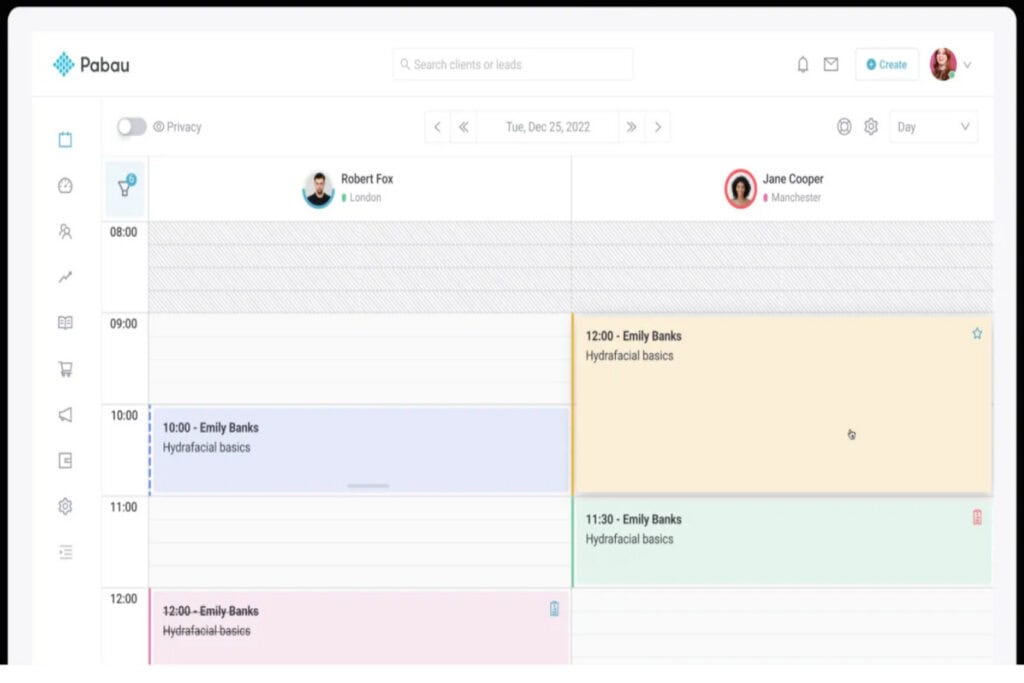
Pabau is an all-in-one system for med spas, IV therapy clinics, and wellness centers, helping manage both clinical care and business operations with features like inventory tracking, patient records, and automated admin tasks. It’s designed for clinics that want a single platform for charting, booking, payments, and growth tools, especially when offering IV therapy alongside other aesthetic or wellness services.
Features:
- Clinical EMR: Centralized patient records and treatment history.
- Online Booking: Automated scheduling, deposits, and waitlist management.
- AI Notes & Safety: AI-assisted note-taking and prescribing alerts.
- Payments & Memberships: Integrated billing and support for packages.
- Inventory Tracking: Real-time supply monitoring and reporting.
- Client Portal: Access forms, records, and communication online.
Integrations:
- Integrates with Stripe, Xero, Google Calendar, labs, eRx tools, Zoom, and CRM platforms like HubSpot. Also, it supports Zapier, Make, and an open API for custom workflows and broader connectivity.
Pros:
- Clear, connected clinical records reduce manual work and errors.
- Built-in marketing and engagement tools help retain patients.
- Good photo and documentation features track treatments easily.
- AI tools save time on note-taking and safety checks.
Cons:
- More general-purpose platform.
- May need extra setup for specialized IV workflows.
- Marketing and AI automation for patient nurturing are less integrated.
- Lacks advanced clinical tools and extensive lab/vendor integrations out of the box.
- OptiMantra
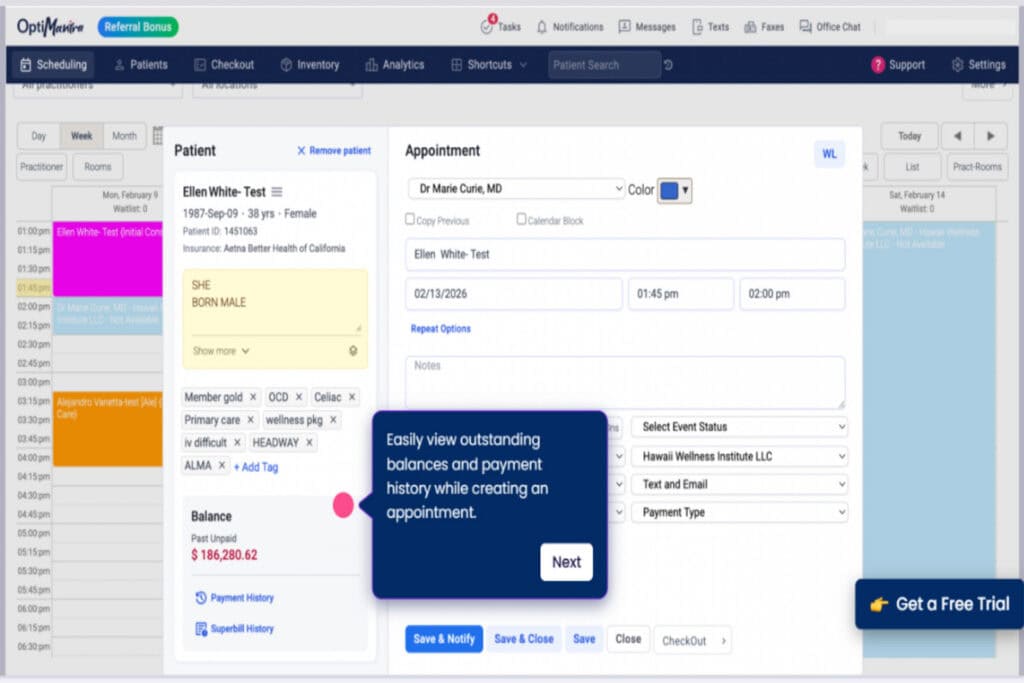
OptiMantra is designed for solo providers or growing clinics that operate multiple infusion and integrative protocols and need flexible, customizable workflows. It’s an EMR and practice management system for IV therapy, med spas, and aesthetic clinics, helping track treatments, manage inventory, schedule appointments, manage billing, and document care.
Features:
- IV Therapy Templates: Pre-built and customizable templates for tracking infusions and drip details.
- All-in-One Management: Manages scheduling, billing, charting, and inventory in one system.
- Custom Notes & Plans: Flexible SOAP notes and treatment plan templates.
- Patient Portal: Secure online access with booking and automated reminders.
Integrations:
- Connects with labs (LabCorp, Quest), Surescripts eRx, Stripe, and Fullscript for supplements. Also, it supports Zoom, CRM tools, email (SendGrid), Fitbit, and offers an API for custom integrations.
Pros:
- Customizable with regular updates and responsive support.
- Well-suited for integrative medicine and complex treatment protocols.
- Dependable customer support praised in reviews.
- Clear and affordable pricing for smaller clinics.
Cons:
- Lacks advanced clinical features like built-in injection tracking, infusion protocols, and extensive lab/vendor integrations.
- AI-driven marketing and patient nurturing are not strong.
- May require extra tools or setup for full workflow and multi-location management.
- E-prescribing and certain tools can be limited on mobile.
- DocVilla
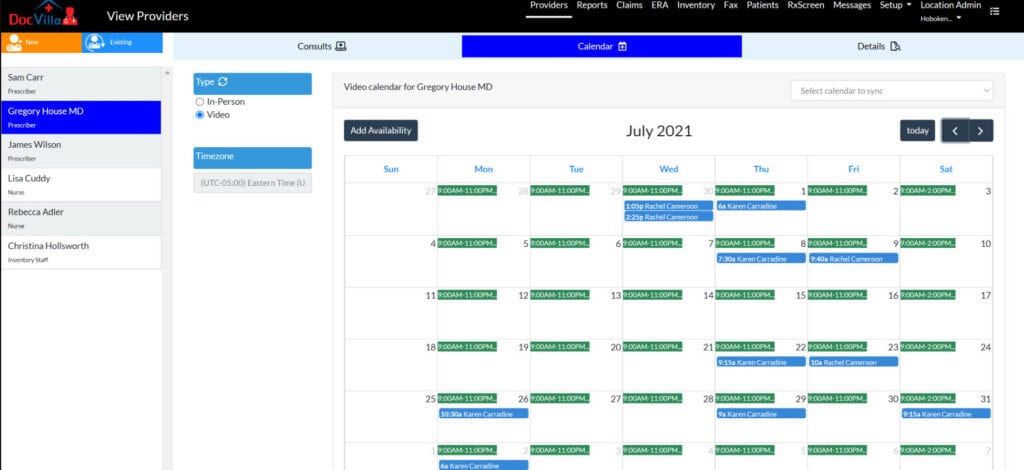
DocVilla is a cloud-based EHR for IV therapy clinics and med spas. It combines scheduling, documentation, telemedicine, and billing in one platform to simplify patient care and administrative tasks. The platform is designed for multi-location or high-volume clinics that need accurate dosing, inventory tracking, and support for both insurance and cash payments.
Features:
- Inventory Management: Tracks supplies, lot numbers, and expiration dates linked to patients.
- Scheduling: Advanced calendar tools with multi-location support.
- Telemedicine & E-Prescribing: Supports virtual visits for remote consultations and built-in tools for electronic prescriptions.
- Payments & Billing: Integrated payment processing and electronic invoicing.
- Custom Documentation: Flexible templates for clinical notes and workflows.
Integrations:
- Integrates with Surescripts, Quest, Fullscript, Stripe, and Google Calendar. Also, it uses HL7/API for labs and offers an open API for custom integrations.
Pros:
- All-in-one cloud EMR with scheduling, telemedicine, e-prescribing, billing, and inventory.
- Customizable notes and templates for easier documentation.
- Built-in patient portal and telehealth without extra apps.
- Supports integrations like Fullscript and real-time lab results.
Cons:
- It doesn’t offer as many built‑in clinical tools specific to IV therapy.
- Engagement features are more basic and lack strong automated nurturing.
- Smaller clinics may need extra time to set up and customize workflows.
- Customer support can be uneven, with unclear training or guidance.
- Remedly
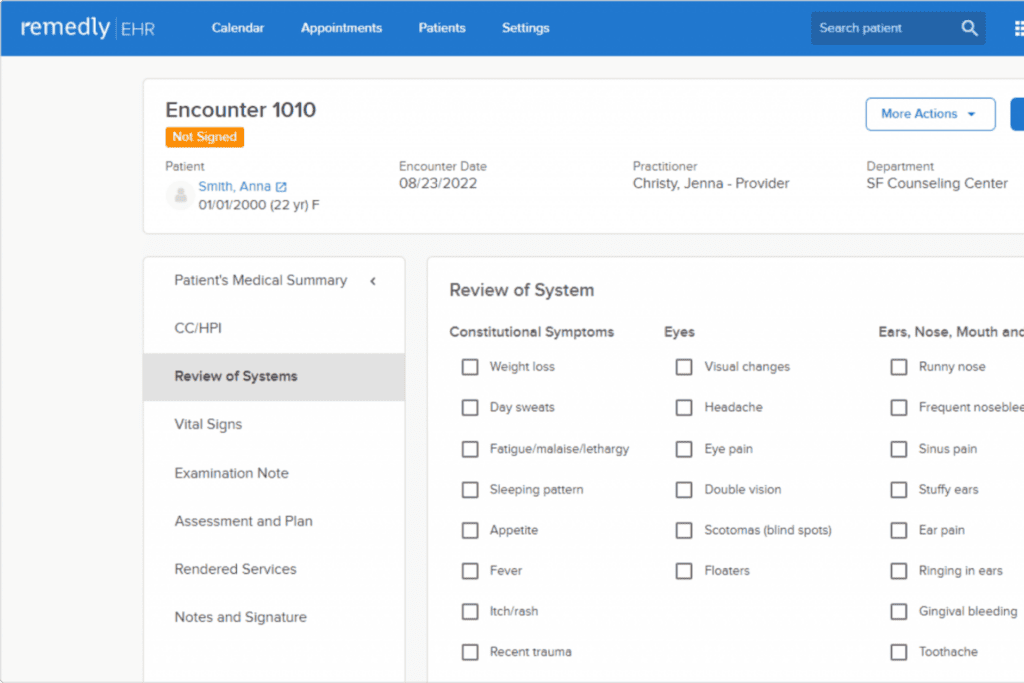
Remedly is designed for small to mid-sized IV therapy clinics looking for an easy-to-use system that simplifies workflows and patient engagement without complicated IT setup. It combines EHR, billing, inventory, and communication tools for medical spas and aesthetic clinics.
Features:
- AI Billing Tools: Predicts, tracks, and manages claims with customizable superbills.
- Custom Forms: Flexible EHR forms and digital intake workflows.
- Payments & Patient Portal: Built-in POS and online payment processing, and 24/7 access to forms, records, and secure messaging.
- Inventory Tracking & Marketing Tools: Monitors stock in real time with low-stock alerts, and offers lead management, and built-in campaign features.
Integrations:
- Connects with Rcopia (eRx), Google Calendar, Twilio, Square, and lab tools. But it has limited integrations and no open API, so external tools may need manual work.
Pros:
- Easy to use for managing scheduling, billing, and patient records.
- Combines key tools (EHR, billing, inventory, engagement) in one system.
- Good billing features that reduce manual work and speed up payments.
- Organized patient records make documentation and follow-ups easier.
Cons:
- Limited customization for workflows and templates, especially for larger clinics.
- Not ideal for scaling, and reporting and analytics are basic and less detailed.
- Billing breakdowns can sometimes be unclear.
- Fewer integrations, which limit flexibility.
- RXNT
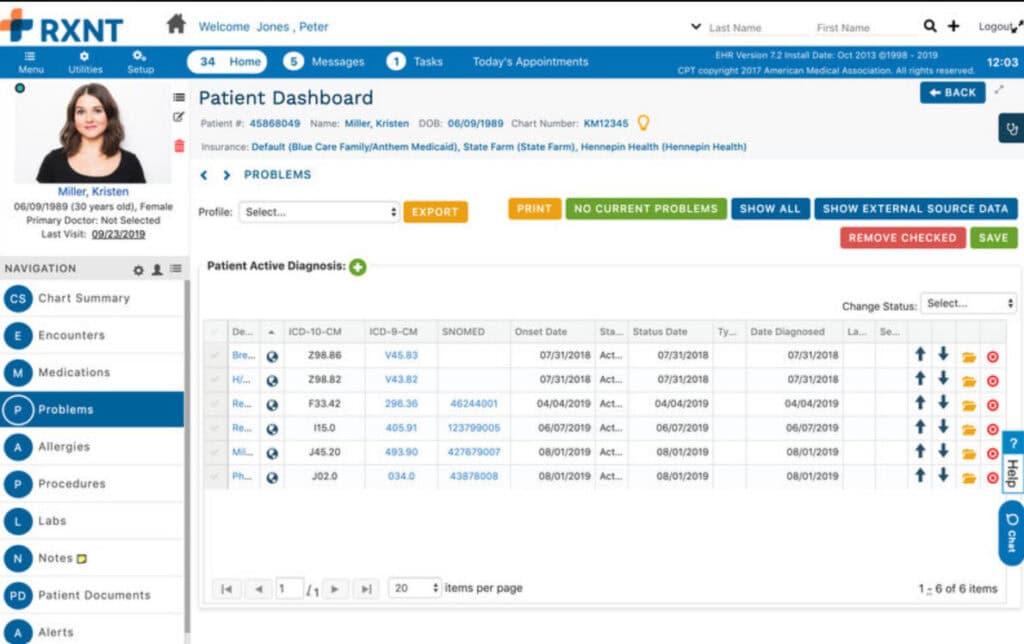
RXNT is designed for IV therapy clinics and outpatient practices that want a complete solution with strong billing and AI-assisted charting to reduce manual work. It’s a cloud-based platform that combines EMR, e-prescribing, billing, and patient communication in one system, helping clinics manage documentation, prescriptions, and finances more efficiently.
Features:
- AI Note-Taking: Ambient IQ AI automatically creates detailed clinical notes from patient visits.
- Patient Messaging & E-Prescribing: Built-in communication for follow-ups and updates, and sends prescriptions directly to pharmacy networks.
- Billing Tools: Manages medical billing and claims processing.
- Custom Charting & Scheduling: Flexible templates for different treatments, and appointment booking with automated reminders.
Integrations:
- Uses Surescripts for eRx, Scalabull for labs, and Relay Exchange for billing. Also, it offers telehealth integrations and an API, but the overall ecosystem is more limited.
Pros:
- AI-powered documentation saves time and reduces manual work.
- Combines multiple tools (EMR, billing, messaging) in one platform.
- Supports both small clinics and larger practices.
- Good billing and e-prescribing capabilities.
Cons:
- Not specifically built for IV therapy or aesthetic workflows.
- Limited automation for patient follow-ups and engagement.
- Patient portal and onboarding may not operate well.
- Pricing and contracts may be less flexible (e.g., long-term commitments).
- PracticeQ
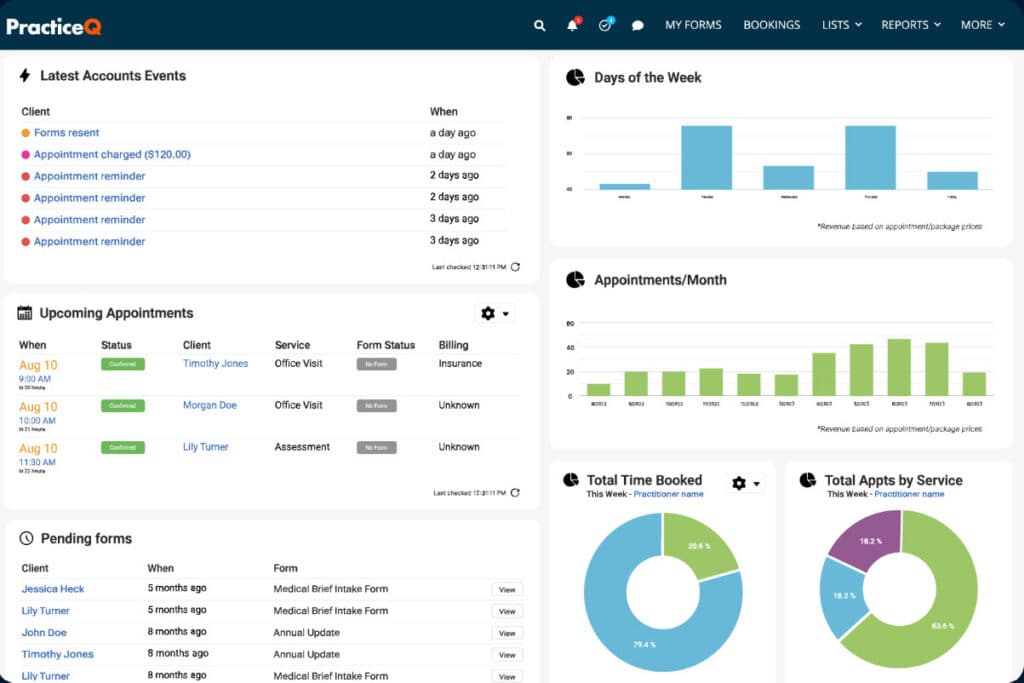
PracticeQ is a cloud-based EMR that helps small to mid-sized clinics manage scheduling, billing, intake, and patient communication all in one place. It’s designed for physiotherapy, chiropractic, functional medicine, and IV therapy clinics that need flexible, organized workflows and want to manage one or multiple locations efficiently.
Features:
- Patient Scheduling: Self-scheduling with automated reminders and online payments to reduce no-shows.
- Insurance & Medication Tools: Check insurance eligibility and access medication history.
- Custom Forms & Surveys: Create intake forms, consent documents, and surveys that update in real time.
- Workflow Automation: Automate billing, follow-ups, and patient communications.
Integrations:
- Integrates with Fullscript, labs, Google tools, Zoom, billing tools, and analytics. Also, it supports Zapier and an open API for additional custom integrations.
Pros:
- Customizable templates and workflows tailored to different practice types.
- All-in-one system for scheduling, billing, intake, and communication.
- Automation reduces manual admin tasks and improves efficiency.
- Supports multi-location clinics within a single platform.
Cons:
- Reporting and analytics are basic, lacking advanced insights.
- Mobile functionality is limited and can feel clunky.
- Customization can be complicated, making setup and changes harder.
- Certain integrations (like clearing house or reports) may be unreliable, requiring workarounds or extra costs.
- AdvancedMD
AdvancedMD EMR for IV therapy is designed for small to mid-sized practices with moderate patient volumes that need an all-in-one solution without heavy specialty customization. It’s a cloud-based platform that helps clinics manage patient care, scheduling, communication, and billing, making it a complete all-in-one solution for independent practices.
Features:
- Scheduling: Manage appointments, send reminders, and handle patient check-ins.
- Practice Management: Manage front-desk tasks, patient records, and forms.
- Billing: Manage coding, claims, and payments in one place.
- Patient Communication: Use portal, telehealth, messaging, and reminders to stay connected.
Integrations:
- Connects with labs, payment systems, Zoom, Surescripts, and reputation tools. Also, it offers strong API support (FHIR/HL7) for advanced and custom integrations.
Pros:
- All-in-one system for scheduling, records, billing, and communication.
- Customizable templates to fit different practice needs.
- Good billing and revenue management tools.
- Includes telehealth and a patient portal for better communication.
Cons:
- Not designed specifically for IV therapy.
- Can be costly, with important features and training requiring extra payment.
- Navigation is not very intuitive and may take extra clicks.
- The mobile version lacks full functionality.
- Mangomint
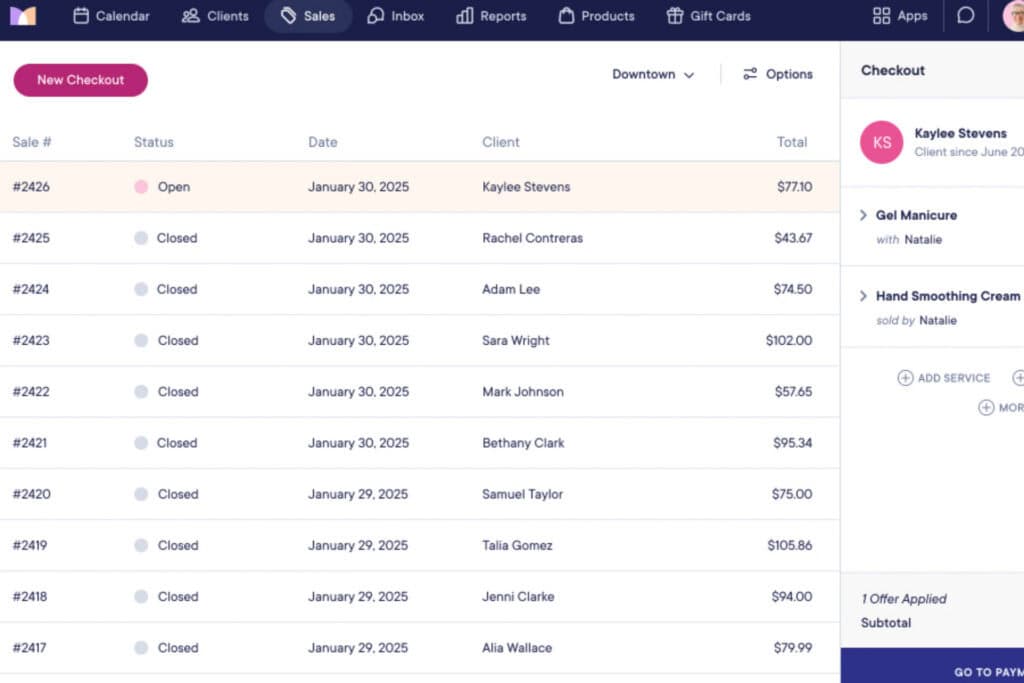
Mangomint is a cloud-based platform that started for salons and spas, and now also serves med spas and IV therapy clinics. It’s good for small, boutique clinics, mobile IV services, or wellness practices that prioritize booking and client management over detailed medical documentation.
Features:
- Forms & Notes: Create custom intake forms, track vitals, and add treatment notes, photos, and consent forms.
- Client Profiles: View complete patient history and past sessions in one place.
- Telehealth & Good Faith Exams: Offer secure virtual visits through Doxy.me, and support exams using Docovia integration.
- Scheduling & Communication: Enable online booking with automated messages and reminders.
Integrations:
- Integrates with Shopify and Doxy.me, Docovia, and calendars for basic operations. But it has limited clinical integrations, no labs/eRx, and fewer customization options.
Pros:
- Quick setup, with most businesses up and running in under 2 weeks, and free data migration support.
- Efficient scheduling with waitlists and automatic reminders.
- HIPAA-compliant charting available.
- All client info, appointments, and history in one place.
Cons:
- Limited clinical features for IV therapy, such as detailed infusion tracking and protocols.
- No direct lab integrations for ordering or viewing results.
- HIPAA compliance is only available as a paid add-on, not included by default.
- Not ideal for scaling clinics needing advanced clinical and business tools.
- MicroMD
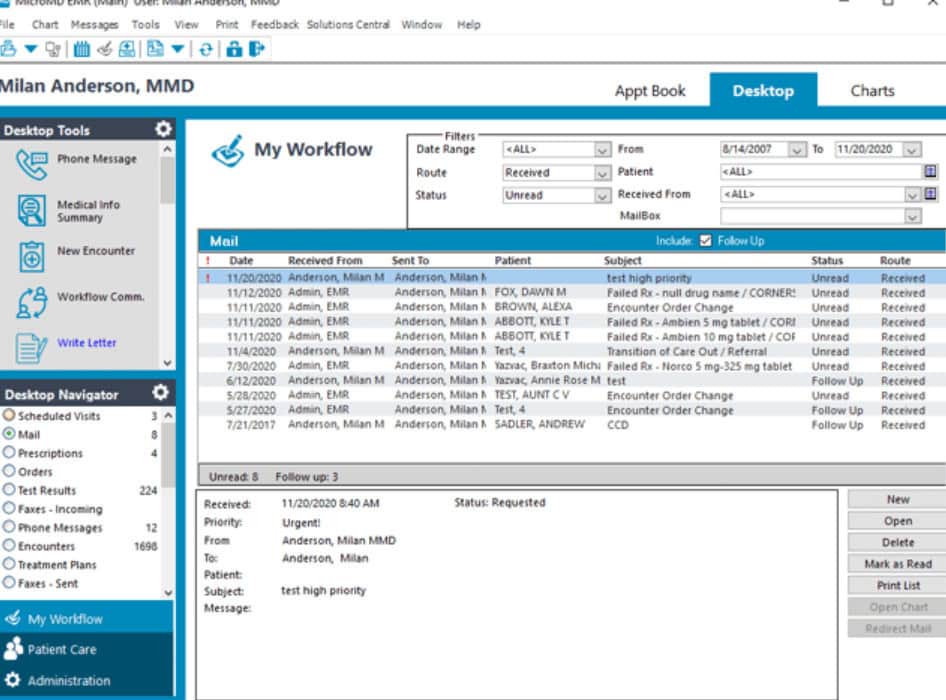
MicroMD, developed by Henry Schein, is a general EMR and practice management system made mainly for small to mid-sized medical practices. It helps clinics go paperless, improve workflows, and manage patient data efficiently. The platform is good for practices like primary care or internal medicine that offer IV therapy as one of several services.
Features:
- Documentation: Multiple ways to record notes (templates, forms, voice, typing) to save time
- Practice Management: Built-in tools for scheduling, patient registration, and visit tracking.
- Deployment Options: Available on cloud or on-premise for flexibility.
- Prescriptions & Billing: e-Prescribing is connected to major pharmacy networks, and claims, insurance checks, and billing tools are included.
Integrations:
- Connects with Surescripts, lab systems (HL7), and basic billing tools. But it has a limited integration ecosystem with no strong support for marketing or advanced tools.
Pros:
- Flexible documentation options that suit different provider styles and save time.
- Available in cloud or on-premise for more control over systems.
- Good billing and claims management features.
- Customizable to fit different workflows and specialties.
Cons:
- Not designed for IV therapy, and requires full customization for infusion workflows, scheduling, and alerts.
- EMR and practice management modules aren’t well integrated.
- No photo management or aesthetic documentation tools.
- No AI automation for scheduling, follow-ups, or patient re-engagement.
How Did We Evaluate the Best EMR for IV Therapy?
Not all EMRs that claim to support IV therapy truly meet clinic needs. A system may have many features, but fail in real situations like documenting reactions or generating reports. Thus, before including 10 EMRs for IV therapy clinics in the article, we evaluated each one using criteria based on real infusion clinic workflows:
- IV Therapy Features: We prioritized platforms with native infusion charting, pre-built protocols, drip-rate tracking, and allergy/contraindication alerts.
- Inventory Management: We assessed whether inventory tracking was integrated with patient encounters, included lot numbers and expiration dates, and supported automated reorder alerts.
- Scheduling: We looked for session-specific scheduling with chair/bay assignments, variable session lengths, setup/monitoring buffers, waitlists, and multi-provider coordination.
- Billing & Revenue Cycle: We evaluated integrated billing for medications, supplies, and services, with coding support, POS processing, insurance claims, and revenue reporting.
- Patient Engagement: We inspected for self-service booking, digital forms, automated reminders, two-way messaging, follow-ups, membership/loyalty programs, and patient re-engagement tools.
- Compliance & Security: Confirmed HIPAA compliance, role-based access, audit trails, and support for telehealth and Good Faith Exam documentation.
- Scalability: We assessed the ability to grow with the clinic, including adding providers, locations, services, and patient volume without system limits.
- Ease of Use & Onboarding: We considered the learning curve, training resources, onboarding support, and guided data migration from previous systems
- Integration Ecosystem: We evaluated compatibility with labs, telehealth, e-prescribing, payment processors, and accounting software for seamless workflows.
- User Reviews & Real-World Feedback: We analyzed verified reviews for reliability, workflow performance, and recurring issues, focusing on features critical to IV therapy operations
How to Pick the Right EMR for an IV Therapy Practice?
Picking the right EMR for your IV clinic saves time, money, and stress, while the wrong one creates gaps. So, if you want to choose the correct one, here’s the way to go:
- Map Your Workflow: Outline every step from booking to follow-up to see how your clinic operates and where software needs to fit. Also, identify areas where generic EMR features could create extra work or errors.
- Identify Non-Negotiables: List crucial features your clinic cannot operate without (e.g., infusion charting, inventory tracking, e-prescribing, lab integrations, HIPAA compliance, and automated communication). Treat these as deal-breakers, not preferences.
- Consider Volume & Growth: Match software to your practice’s current size and realistic growth in 3 years. Also, check for multi-location support, multi-provider scheduling, and centralized reporting.
- Evaluate Integrations: Make certain the EMR operates well with labs, pharmacies, payment processors, telehealth, and accounting software. Also, verify live, bidirectional, and supported integrations.
- Prioritize Support & Onboarding: Confirm dedicated onboarding, data migration, and workflow-specific training. Moreover, check the availability and quality of post-launch support, especially during clinic hours.
- Request Tailored Demos: Ask for demos based on your real clinic scenarios (bookings, reactions, inventory, re-engagement campaigns). Furthermore, assess how flawlessly the software manages your actual workflows.
- Verify Compliance: Make certain the EMR supports HIPAA, audit-ready records, role-based access, and state-specific telehealth regulations. In addition, confirm in writing that the system meets your regulatory requirements.
So, Did You Find the Best EMR for IV Therapy?
The best EMR for IV therapy keeps staff focused on patient care, guarantees accurate charting, manages inventory, schedules appointments, and manages billing. Whereas the wrong choice can slow workflows, create compliance risks, and frustrate both staff and patients.
So, look for EMRs with features that matter for IV therapy. For instance, built-in infusion charting, pre-made protocols, inventory tracking, session-based scheduling, integrated billing, patient engagement tools, HIPAA compliance, and the ability to grow with your clinic.
Usability, lab and pharmacy integrations, and strong support are also crucial. But PatientNow combines all these features in a unified system, built specifically for aesthetic, wellness, and IV therapy clinics, not a generic EMR. With strong support and easy scalability across one or multiple locations, it helps clinics run more efficiently, reduce errors, and increase revenue.
So, book a demo with PatientNow and simplify your IV clinic operations, reduce errors, and focus on providing the best patient care.
FAQs
Is a general-purpose EMR sufficient for IV therapy clinics?
No. General-purpose EMRs often lack IV-specific features like drip-rate documentation, infusion chair scheduling, and allergy/contraindication alerts. A specialty-oriented platform like PatientNow reduces workarounds and clinical risk.
What compliance features should an IV therapy EMR have?
Look for HIPAA compliance, role-based access controls, audit trails, e-signature for consent forms, and secure patient communication.
Is telehealth support important for IV therapy clinics?
While IV therapy is inherently in-person, telehealth can support pre-treatment consultations, Good Faith Exams (GFEs), and follow-up care. A platform like PatientNow offers telehealth capabilities.
How long does it take to implement an IV therapy EMR?
Implementation time depends on the platform and clinic size. Simpler systems can go live in about 14 days, while larger platforms may take several weeks due to setup, data migration, and training. But PatientNow includes guided onboarding, setup, and training. Its intuitive design helps reduce training time, allowing teams to get up to speed faster.